


Why a Progressive Lens Fails at Reading Before the Prescription Is Wrong
A progressive lens that will not let you read is usually not a mystery of eyesight. It is a mismatch among four measurable items: the position of the near zone, the length of the corridor, the add power, and the distance at which the wearer holds reading material. The near zone is a small window in the lower part of the lens. It sits below the fitting cross and is inset toward the nose. If the eye does not pass through that window, the wearer sees the blur of the peripheral zone, not the reading zone.
That is why two people with the same prescription can have opposite results in the same frame. One looks down through the corridor; the other lifts the chin, turns the head, or reads at a different distance. Before changing the lens design, measure the fitting height, the frame's vertical depth, the vertex distance, the pantoscopic tilt, and the reading distance. Most reading complaints are explained by one of those numbers, not by a defective lens blank.
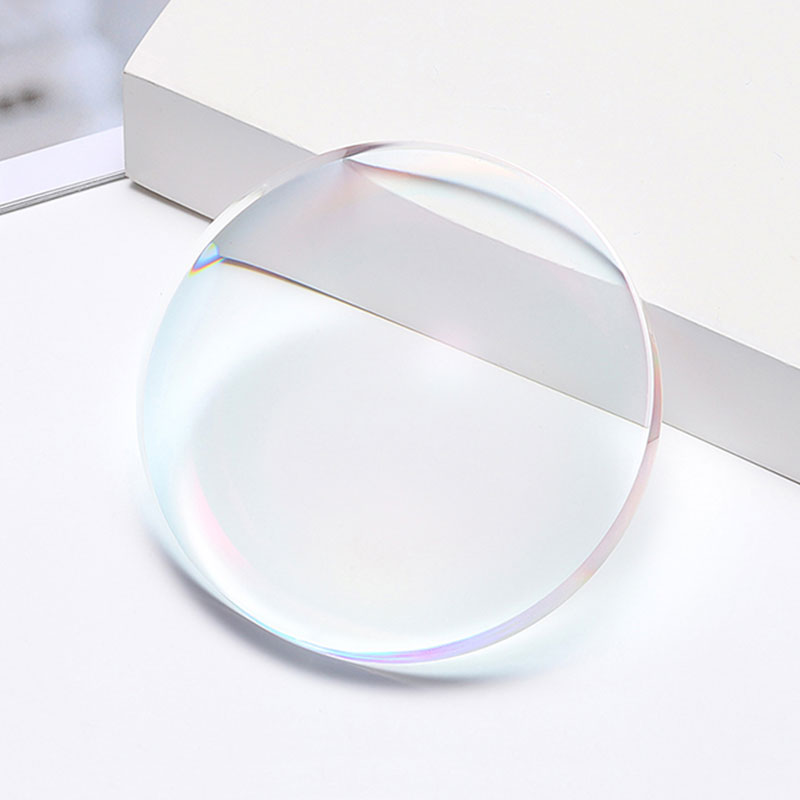
 All Purpose Progressive Lens with Multiple Corridor OptionsCustom all-purpose progressive lens offering several corridor lengths and additions, useful when fitting complaints depend on frame depth and reading distance.View Product →
Where the reading zone actually sits
A simplified vertical map of a progressive lens
The reading window is lower than many wearers expect. If the frame is too shallow, the lab must shorten the corridor, and the near zone becomes smaller and less tolerant of eye position.
Four Causes You Can Measure Before You Change the Lens
1. Fitting height and frame depth
Fitting height is the distance from the bottom of the lens to the fitting cross. If it is too low, the near zone falls below the frame edge. If it is too high, the wearer runs out of corridor before reaching the reading zone. A frame with a vertical depth below 30 mm leaves little room for a general-purpose progressive. Short-corridor designs can work in shallow frames, but the near zone is smaller and the adaptation demand is higher. Check the frame's B measurement, the wearer's pupil position, and the proposed fitting height before ordering.
2. Corridor length and near zone width
Corridor length is the vertical distance over which the power changes from distance to near. A long corridor gives a softer transition and a wider near zone in a tall frame. A short corridor fits a shallow frame but compresses the reading area. There is no universal best corridor. A 14 mm corridor in a 26 mm frame is a different product from a 14 mm corridor in a 36 mm frame. The design must match the frame, the add, and the task.
3. Add power and reading distance
Add power is calculated for a reading distance. If the wearer reads at 30 cm but the add is set for 40 cm, the image is out of focus. The same happens when a desktop monitor sits at 60 cm and the wearer uses a general-purpose progressive with a 40 cm add. Measure the actual working distance: book, phone, monitor, instrument, or dashboard. Then choose the add and the corridor for that distance. A reading add that is too weak is a common cause of a lens that works for distance but not for reading.
4. Vertex distance, tilt, and wrap
Vertex distance, pantoscopic tilt, and face-form wrap change the effective power and the optical center. A lens ordered with a standard 12 mm vertex and 8 degrees of tilt can perform differently in a wrapped sport frame or a flat metal frame. For high-power prescriptions, a 1 mm change in vertex distance can shift the effective power enough to affect reading comfort. Check these measurements before blaming the corridor.
A Practical Troubleshooting Table for Reading Complaints
Use the symptom to narrow the cause. Do not change the add until you have checked the fitting height and the reading distance.
| Symptom | Likely cause | Check | Practical fix |
|---|---|---|---|
| Clear distance, blurry book | Near zone too low or add too weak | Fitting height, reading distance, add power | Raise the fitting cross, shorten the reading distance, or increase the add after recheck |
| Must lift the chin to read | Corridor too long for the frame depth | Frame B measurement, corridor length | Use a shorter corridor or a deeper frame |
| Reading is clear only in a narrow spot | Small near zone or high add | Lens design, add, frame shape | Choose a wider near-zone design or an office lens for near work |
| Headache after ten minutes | Wrong PD, tilt, or vertex distance | Centration, pantoscopic tilt, vertex | Re-measure and re-order with correct geometry |
| Computer screen is blurry, book is clear | General-purpose progressive not matched to intermediate distance | Working distance to monitor | Use an office or desk design for 50 cm to 70 cm work |
Why Short Corridors and Shallow Frames Fail Readers
A shallow frame forces the lab to compress the progressive corridor. The reading zone becomes smaller, and the jump from distance to near becomes steeper. That is not a manufacturing defect; it is a design compromise. A 26 mm deep frame can hold a short-corridor progressive, but it cannot give the wearer the same near-zone width as a 36 mm deep frame with a long corridor. The wearer may still read, but the tolerance for eye position drops. Small head movements that were harmless in a deeper frame now move the eye out of the near zone.
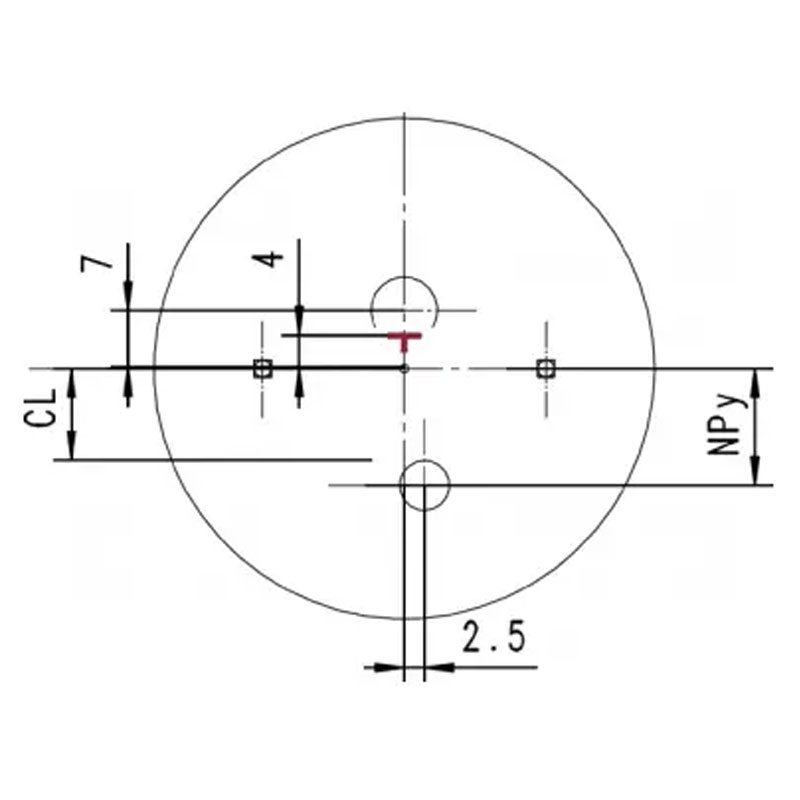 Opto Tech HD Progressive Lenses for Short CorridorsCustom progressive lenses with short corridor options and low minimum fitting heights, suited to shallow frames where corridor compression limits near-zone tolerance.View Product →
Fitting height demand by frame depth
The bar length represents the relative demand on corridor compression, not a lens quality score. A short corridor is the correct tool for a shallow frame, but it should not be expected to behave like a long corridor in a deep frame.
When the Lens Is Right but the Task Is Wrong
General-purpose progressives are designed for a range of distances. They are not the best tool for eight hours of near work. A wearer who reads books at 35 cm, uses a monitor at 60 cm, and glances at a shop floor at 5 m is asking one lens to cover three very different visual tasks. The reading zone may be perfectly made, but the wearer spends most of the day in the corridor or the peripheral zone. That produces the familiar complaint: the lens is clear when I look straight ahead, but not when I read.
 Office Occupational Lens for Near and Intermediate WorkCustom occupational lens with a 14 mm corridor and degression options, intended for near and intermediate tasks rather than full-time general-purpose wear.View Product →
Everyday progressive
Best for walking, driving, shopping, and intermittent reading. The near zone is usable, but it is not a full-time desk solution.
Office or desk lens
Best for monitor work and close reading. It widens the intermediate and near zones and reduces the need to lift the chin.
Reading-only lens
Best for long reading sessions at one distance. It removes corridor compromise but gives no clear distance vision.
For a wearer who reads for hours, the practical answer is often a second pair or a dedicated office design, not a stronger add in a general-purpose progressive. The add should match the task, and the task should match the lens.
What the Factory Can Control and What the Optical Shop Must Control
At a lens manufacturer, the controllable variables are power accuracy, corridor geometry, freeform surfacing, coating uniformity, and material consistency. Green Stone Optical produces progressive lenses across 1.56, 1.60, 1.67, and 1.74, including blue-block, photochromic, and polycarbonate options. The factory can hold the design and the power. It cannot hold the wearer's pupil position in a frame that has not been fitted.
- Factory control: base curve, add power, corridor length, prism reference point, coating adhesion, and surface quality.
- Optical shop control: fitting height, pupillary distance, pantoscopic tilt, vertex distance, frame shape, and reading distance.
- Wearer control: head posture, eye movement, reading distance, and adaptation time.
For a broader checklist on blurry progressives, see why progressive lenses become blurry. The useful sequence is always the same: verify the prescription, verify the fitting, verify the frame, then verify the lens design.
Material and Coating Choices That Affect Reading Comfort
Material and coating do not fix a bad fitting height, but they can affect the quality of the reading image. A 1.56 lens is a practical choice for many moderate prescriptions. A 1.60 lens gives a better balance of thickness and optical performance for many daily wearers. A 1.67 or 1.74 lens reduces edge thickness in higher prescriptions, but the higher refractive index can reduce Abbe value and increase chromatic blur at the edge of the near zone. Blue-block coatings can improve screen comfort, but they do not widen the reading zone. Photochromic lenses handle changing light, but they do not change the corridor geometry.
1.56 progressive
A common choice for everyday prescriptions and general reading tasks. Good balance of cost, weight, and optical clarity.
1.60 progressive
A useful step up for wearers who want a thinner lens without moving to a high-index material.
1.67 and 1.74 progressive
Better for high prescriptions and frame styles where edge thickness matters. Check Abbe value and reading zone width before choosing.
For reading comfort, the design and fitting usually matter more than the material. A well-fitted 1.56 progressive can read better than a poorly fitted 1.74 progressive. The material should support the prescription and the frame, not replace the measurements.
FAQ: Reading with Progressive Lenses
Why can I read at the computer but not in a book?
The computer sits farther away than a book. A general-purpose progressive may place the monitor in the intermediate zone and the book below the near zone. Measure both distances and consider an office lens if screen work dominates the day.
Why is the reading area so small?
The near zone is limited by the corridor design, the add power, and the frame depth. A shallow frame or a high add can make the usable reading window smaller. A wider near-zone design or a dedicated reading lens may help.
Can I wear progressive lenses all the time?
Many wearers can, but full-time wear depends on the task mix. A wearer who needs clear distance, intermediate, and near vision throughout the day is a good candidate. A wearer who reads for hours may still need a second pair for close work.
Why do I have to lift my chin to read?
Lifting the chin usually means the near zone is too low for the wearer's natural reading posture. The fitting height may be low, or the corridor may be too long for the frame. Recheck the fitting cross before changing the prescription.
Does a stronger add fix reading blur?
Only if the add is wrong for the reading distance. A stronger add can make near vision clearer at a shorter distance, but it can also narrow the intermediate zone and make the transition harder. Measure the working distance first.
Why is the first week uncomfortable?
Progressive lenses require the wearer to use the corridor and the near zone rather than the whole lens. Adaptation can take days or weeks. If reading is still impossible after two weeks, the problem is more likely fitting, design, or prescription than adaptation.
Before You Blame the Progressive Lens
Run the checks in order. This prevents a new lens from repeating the same problem.
- Confirm the reading distance with a tape measure, not with memory.
- Mark the fitting cross and compare it with the pupil position.
- Measure the frame's vertical depth and the corridor length.
- Check vertex distance, pantoscopic tilt, and face-form wrap.
- Review the add power against the actual task: book, phone, monitor, or instrument.
- Test an office lens or a reading-only lens before changing the general-purpose design.
A progressive lens is a tool with a narrow reading window, a designed corridor, and a fitting position. When the wearer cannot read, the answer is usually found in those three facts, not in a vague claim that progressives do not work. Measure first, then change the lens.